
ERPNext Developer Toolkit
An open-source installation and operations toolkit for self-hosted Frappe and ERPNext environments, supporting native and Docker workflows alongside HTTPS, security, application management, backup, recovery, health checks, diagnostics, and guarded updates.
Overview
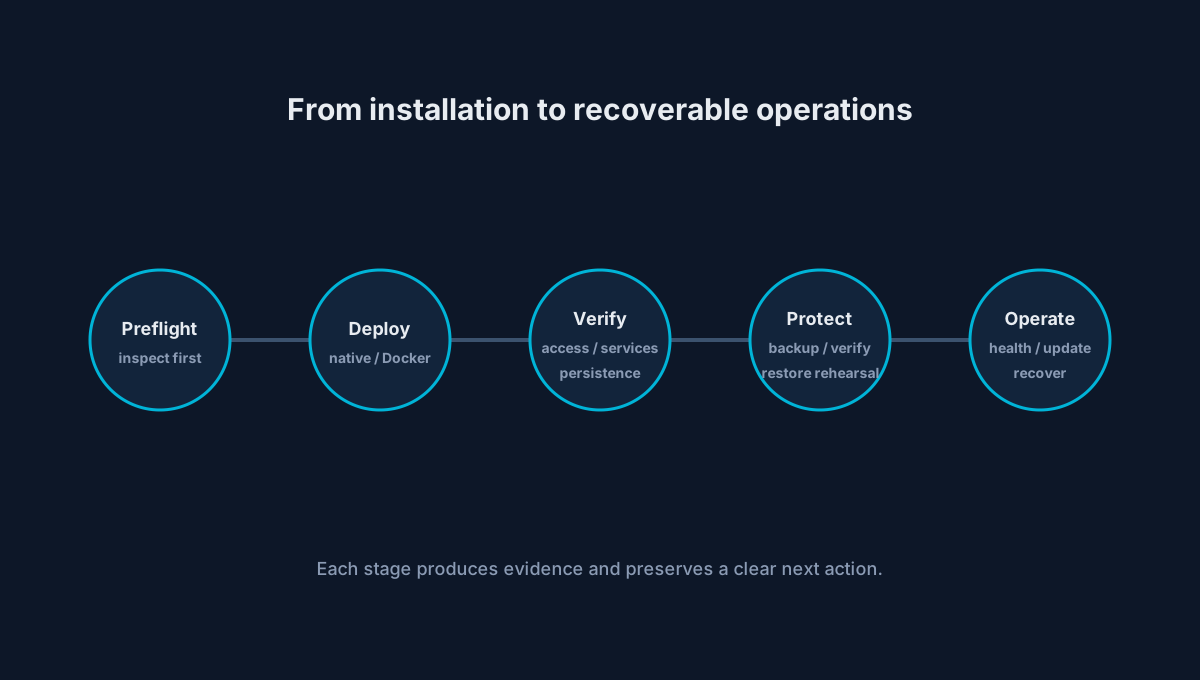
ERPNext Developer Toolkit is an open-source installation and operations toolkit for self-hosted Frappe and ERPNext environments. It treats installation as the beginning of an operational lifecycle that also includes access, HTTPS, security controls, applications, backups, recovery rehearsal, health, diagnostics, and guarded updates.
Why installation became an operations problem
A functioning environment depends on coordinated application, database, queue, cache, worker, scheduler, proxy, certificate, and persistent-data responsibilities. An installer can return successfully while access, background work, persistence, or recovery remains broken. The toolkit therefore guides an operator toward verification and a clear recovery action instead of equating command completion with readiness.
Native and Docker deployment engines
The guided workflow supports native Bench and Docker paths for local development virtual machines and public VPS or cloud virtual machines. Preflight checks and environment questions happen before mutation; the selected engine then owns engine-specific installation and validation while returning to a shared operational interface.
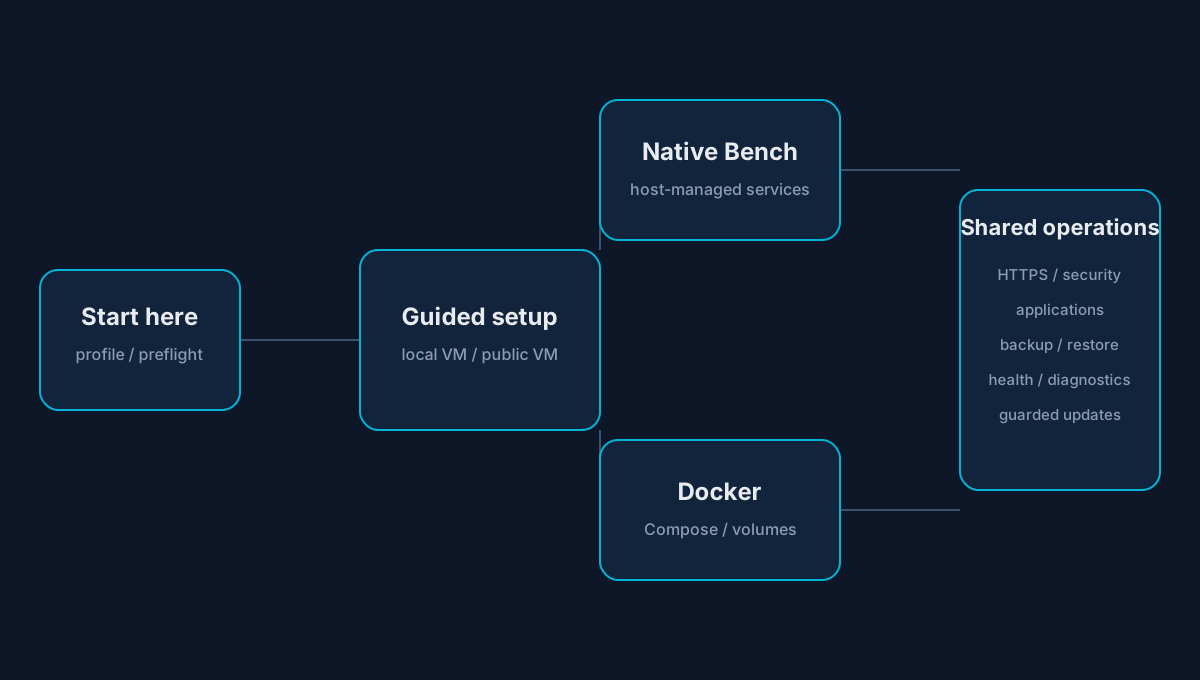
Guided profiles distinguish a local development VM from a public server and support Frappe-only or ERPNext application choices where the stable workflow documents them.
Operations and recovery model
After installation, the same command surface supports application discovery and installation, HTTPS, security hardening, operational status, diagnostics, scheduled backup, backup verification, restore rehearsal, and update integrity.
Guarded updates and release discipline
Stable release artifacts carry whole-tree checksums and a maintainer signature. Update behavior uses build identity, staged replacement, rollback slots, and validation gates. These safeguards reduce risk; they do not guarantee that every host or application combination can upgrade without intervention.
Repository validation covers shell analysis, adversarial input, release-tree consistency, atomic update and rollback behavior, clean native and Docker installation paths, reboot persistence, backup creation, and interactive restoration.
Public stable and active development
Public stable: v1.20.4. This case study’s shipped-capability claims are grounded in the tagged stable release and its documentation.
Active beta/development: the repository also contains later v1.21 work. Features under development—including existing-install adoption, expanded machine-readable interfaces, advanced Docker work, and application uninstall—are not described here as stable behavior.
Current boundaries
The toolkit is community software for self-hosted environments, not managed hosting, a control plane, a Kubernetes or high-availability platform, or a replacement for Frappe Cloud or Press. It does not promise arbitrary custom-application compatibility, universally safe upgrades, automatic disaster recovery, or production validation for every environment.
Lessons
Operational UX is reliability work. Truthful state, visible boundaries, guarded destructive actions, and rehearsed recovery are as important as automating the happy path.